Mind Garden
Plant your goals. Watch them grow.
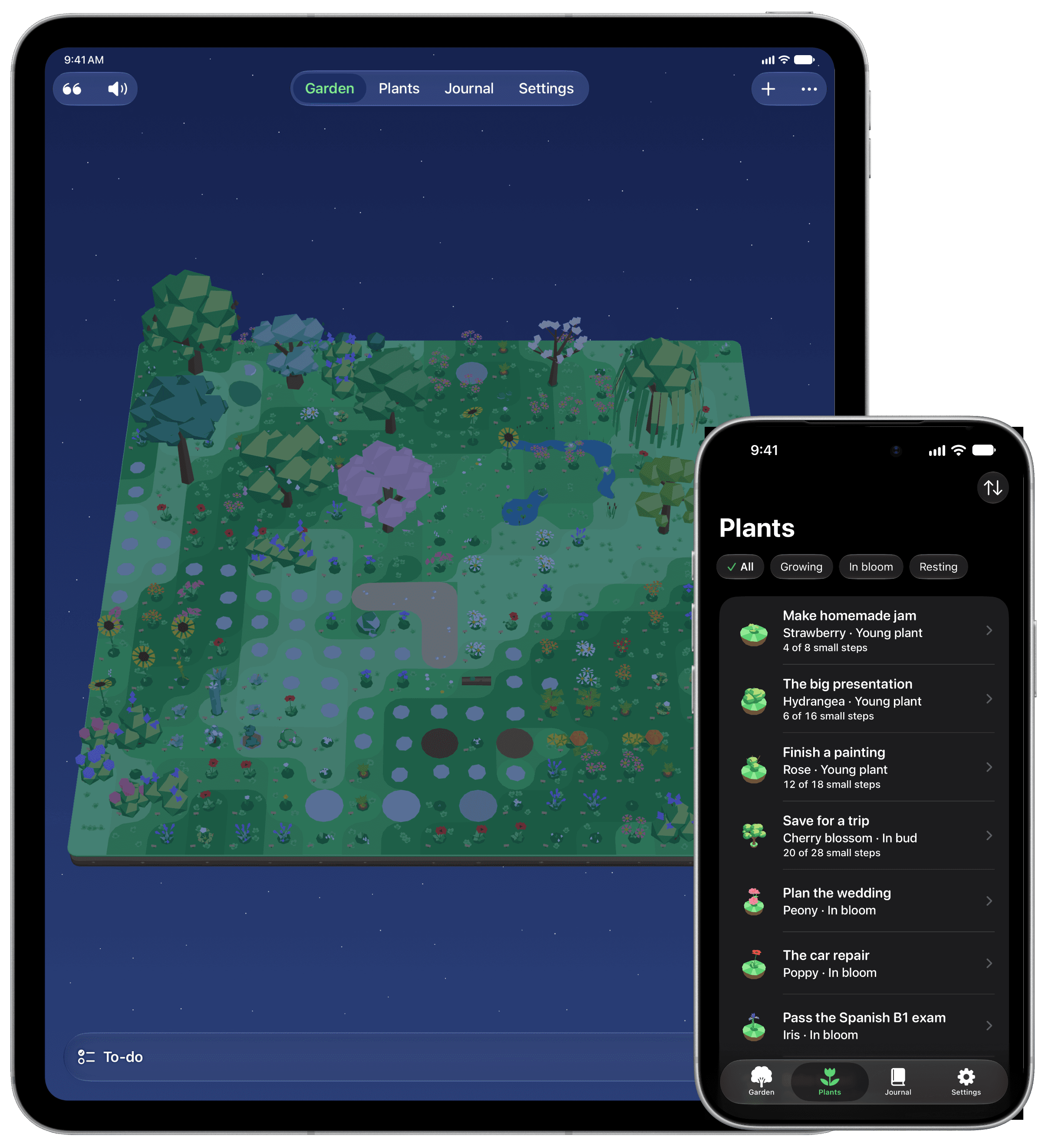
Each goal becomes a plant with its own list of small steps. Complete them all to watch your goal bloom.
The first step toward success
Name your goal (“Build my mobile app”) and write the small steps that get you there (“Jot down the idea,” “Sketch the screens,” “Publish on the App Store”), or pick from suggestions for that plant.
How it works
Progress you can see
Every plant in bloom stays in your garden and adds a stone to its path. The journal keeps everything you have grown.
No guilt, ever
No red numbers, no pressure, nothing to keep up with. A forgotten plant simply rests and keeps all its growth.
A garden that lives with you
It follows real daylight where you are, from golden mornings to starry nights, and the actual weather: when it rains outside, it rains in your garden. Four seasons, butterflies, birds, and fireflies on summer nights.
Always within reach
Widgets for your Home Screen, Lock Screen and StandBy. Controls in Control Center, and Siri to tick off a small step. A calm, timed moment, right in the Dynamic Island.
Designed for iPhone and iPad running iOS 26 and iPadOS 26 or later, and adapted for iPhone Duo.
Private by design
No data is collected.
No account, no ads, no tracking. Your garden stays on your devices and in your private iCloud: we never see it.
Titles and notes are encrypted before they reach iCloud. You can protect your garden with Face ID.
Frequently asked questions
What happens if I forget my garden?
Nothing is lost. A plant with no step ticked off for three days simply rests: its leaves close, and the next small step wakes it. It never loses its growth, and nothing needs to be kept up day after day.
Do I need an account?
No. There is no account to create. Your garden is kept on your device and in your private iCloud.
How do I use my garden on my iPhone and my iPad?
Sign in with the same Apple Account on both devices and keep iCloud on for Mind Garden. Your garden syncs on its own.
Is it free?
The app is free forever, with one plant growing at a time. Mind Garden Plus is available monthly, yearly or as a one-time lifetime purchase. In the app, you can also buy packs: one-time purchases you keep, even without Plus. If Plus ends, you keep everything you’ve grown.
Mind Garden is a wellbeing companion. It is not a medical device and does not replace professional care.