Trading AI
Your AI market chart analysis, powered by Claude
Get a complete analysis of your asset from a single photo, with the power of artificial intelligence.

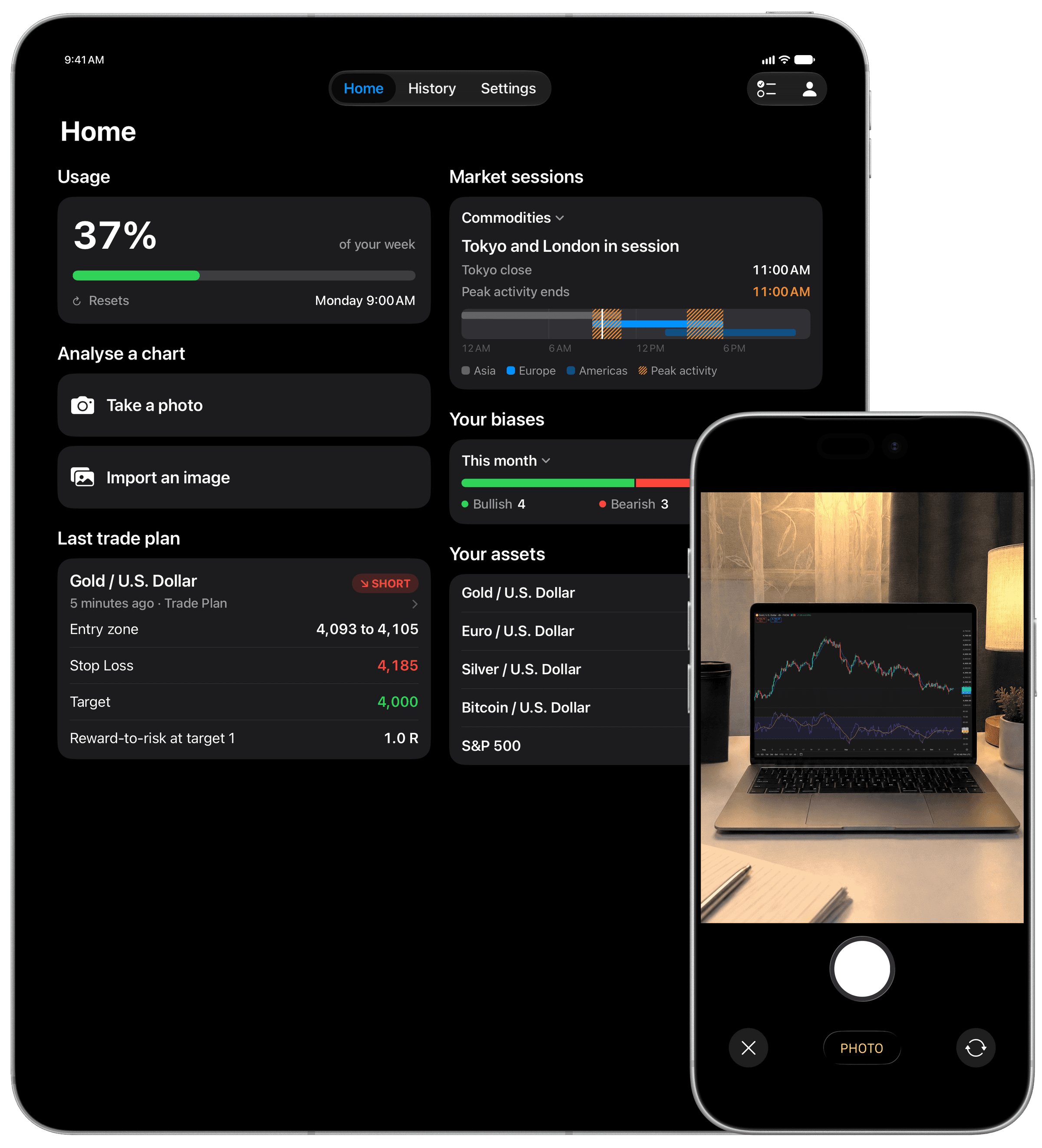
A photo is all it takes
Snap any chart or import a screenshot, and the AI turns it into a detailed technical analysis. Stocks, forex, crypto, indices, commodities, futures: it reads them all.
Features
A checked plan, matched to your chart
The AI identifies your chart’s horizon on its own: triggers for scalping, a session plan for day trading, a trade plan for swing trading, a long-term framework for investing. A plan that fails a check is removed, with the reason.
An analysis that weighs its evidence
Two concrete scenarios, each with the level that would invalidate it. Their likelihood is written in words, never as a made-up percentage.
Built for the Apple ecosystem
On iPhone, follow your analysis on the Lock Screen and in the Dynamic Island, and get a notification as soon as it is ready. Widgets bring back your last trade plan and the market sessions, even outside the app.
Your entire analysis history
Synced with iCloud: find any analysis by its asset or date.
What it does, and what it doesn’t
Trading AI analyzes charts. It connects to no broker, places no orders, and promises no results.
Designed for iPhone and iPad running iOS 26 and iPadOS 26 or later, and fully optimized for iPhone Duo.
What happens to your images
Your image is sent encrypted to our server, then to Anthropic’s AI, which reads it to produce your analysis. Our server deletes it within 24 hours; Anthropic applies its own retention policy.
Your images are never used to train any AI model. There is no account to create.
Frequently asked questions
Which markets can I analyze?
Any chart you submit: stocks, forex, crypto, futures, indices and commodities. Trading AI analyzes the chart itself, not a specific market.
Can AI give trading signals?
Trading AI does not give trading signals. When the chart allows, it describes what a plan for the horizon of your chart would be, with an entry, a stop and at most two targets (a long-term framework has none), and the app checks it: a plan that does not hold is withdrawn, with the reason. It is for information and education only: it is not financial advice, it does not place trades, and it is not a signal service.
Do I need to connect my broker or my trading platform?
No. Trading AI never connects to a broker, an exchange or a platform, and it never asks for an API key. You give it an image of a chart, from TradingView, MetaTrader, your broker app, a website, or even a photo of a screen, and it reads that image.
Are my chart images stored?
On our server, only for as long as your analysis needs them: the image is normally deleted as soon as the analysis ends, and never kept longer than 24 hours. Anthropic, which runs the AI model, deletes it within 30 days, unless its safety systems flag it or the law requires it to be kept. Your images are never used to train any AI model.
How much does Trading AI cost?
Trading AI is free to download, and the yearly Pro plan starts with a free trial for eligible new subscribers. It is a subscription: Pro includes a weekly usage allowance, Max gives 2.5 times as much, monthly or yearly, and you can cancel anytime from your Apple Account. Once you are in the app, you can also buy one-time analyses that need no active subscription and never expire. Prices appear in your own currency on the App Store, because they can vary by country.
Does Trading AI work offline?
Producing an analysis needs the AI model, so it requires an internet connection. The analyses you have already run stay in your history and open in full without a connection.
For informational and educational purposes only. Trading AI does not provide investment advice.